
TWITCH CLIP MAKER
Clip a Twitch VOD without downloading it first
Paste a Twitch VOD or clip link into FastClip. It imports the whole stream, so you can cut a moment of any length, not only the 60 seconds Twitch clips allow, and burn in captions.
Free plan includes 3 imports from Twitch, YouTube, Google Drive or file upload. Works in mobile and desktop browsers. No credit card required.
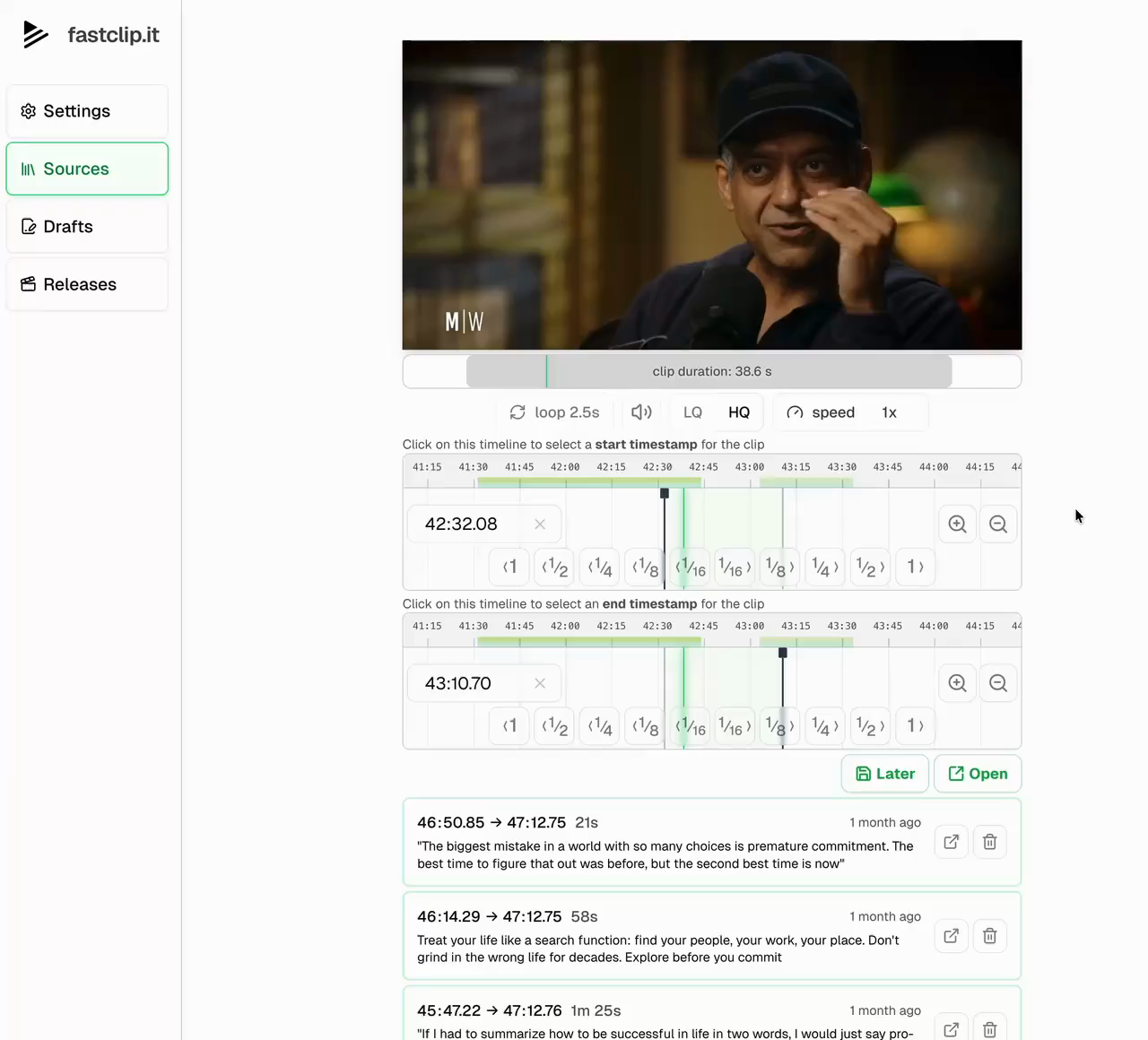
How to clip a Twitch stream with FastClip
1. Copy the VOD or clip link
Open the past broadcast and copy its link. It looks like twitch.tv/videos/ followed by a number. Clip links from clips.twitch.tv or twitch.tv/channel/clip/ work too. A live channel link does not: wait until the stream ends and its VOD is published.
2. Paste it into FastClip
Choose Add source and paste the link. FastClip imports the VOD to your library, so you can cut as many clips from it as you need. VODs up to about three hours import at full 1080p60; longer streams import at 720p to keep the file manageable.
3. Find the moment and cut it
Mark the start and end on the timeline. Start a beat before the reaction so the clip makes sense on its own. To find moments fast in a long stream, look for clusters of viewer clips in the Twitch Highlighter first; our guide to finding viral moments explains how.
4. Caption it, then post
FastClip transcribes the clip in the language spoken and burns in word-timed captions. If the campaign requires the streamer’s logo, add it once in Settings, then Watermark. Publish to Instagram Reels or X from FastClip, or download the MP4 and upload it to TikTok and YouTube Shorts.
When to use Twitch’s own clip tool instead
Twitch’s clip tool is free and fast. It makes clips of up to 60 seconds and creates a portrait version with a stacked facecam-and-gameplay layout. For a gameplay clip that fits in 60 seconds and needs that stacked layout, use it.
FastClip fits talk-driven stream moments: a story, a hot take, a reaction with dialogue, a Just Chatting segment. Those often run past 60 seconds and need readable captions. FastClip can crop the stream to full-screen 9:16 and move the frame to follow the streamer, but it does not stack a facecam over gameplay. See how to clip Twitch and Kick streams for VOD expiry dates and layouts.
Clip only streams you may use
Import a VOD only if you are the streamer, their editor, or part of a clipping program the streamer runs or joined. Clipping campaigns on platforms like Clipster give that permission in the brief. A stream being public does not give you the right to repost it, and crediting the channel does not replace permission.
Twitch clipping questions
Can I make a Twitch clip longer than 60 seconds?
Twitch’s own clips stop at 60 seconds. In FastClip you cut from the full VOD, so the clip can be as long as you need.
Which Twitch links work?
Past broadcasts and highlights (twitch.tv/videos/…) and clips (clips.twitch.tv/… or twitch.tv/channel/clip/…). Live channel pages and subscriber-only VODs do not import.
How long do I have before a VOD disappears?
Twitch deletes past broadcasts after 7, 14 or 60 days, depending on the account. Import the VOD while it exists; the copy in your FastClip library stays after Twitch deletes the original.
Can I import Kick streams?
Not yet. Download the Kick replay or the campaign’s file and upload it to FastClip instead (up to 5 GB).
Does FastClip find the best moments in a VOD?
For Twitch it does not yet suggest moments automatically. For YouTube sources it marks the most replayed parts. For streams, viewer clips and stream markers in the Twitch Highlighter are the best free signal.
What is included in the free plan?
The free plan includes 3 imports from Twitch, YouTube, Google Drive or file upload, 3 X imports, and 5 finished clips in total, at most 2 a day.
Paste the VOD. Cut the moment.
Start with one Twitch link and make your first clip. Clipping a podcast or interview instead? See the podcast clipping guide.
Start clipping for free